
Server Error in ‘/’ Application.
Runtime Error
Description: An application error occurred on the server. The current custom error settings for this application prevent the details of the application error from being viewed remotely (for security reasons). It could, however, be viewed by browsers running on the local server machine.
Details: To enable the details of this specific error message to be viewable on remote machines, please create a <customErrors> tag within a “web.config” configuration file located in the root directory of the current web application. This <customErrors> tag should then have its “mode” attribute set to “Off”.
<!-- Web.Config Configuration File --> <configuration> <system.web> <customErrors mode="Off"/> </system.web> </configuration> |
Notes: The current error page you are seeing can be replaced by a custom error page by modifying the “defaultRedirect” attribute of the application’s <customErrors> configuration tag to point to a custom error page URL.
<!-- Web.Config Configuration File --> <configuration> <system.web> <customErrors mode="RemoteOnly" defaultRedirect="mycustompage.htm"/> </system.web> </configuration> |
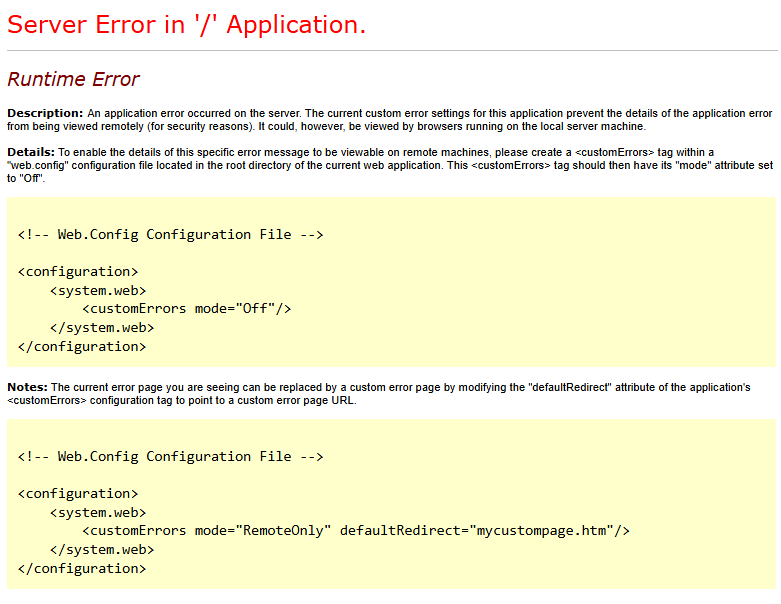
برای مشاهده جزئیات این خطا در Plesk، باید حالت نمایش خطای سفارشی ASP.NET را به “خاموش” تغییر دهید تا پیام خطای دقیق به مرورگر شما نمایش داده شود.
🔧 روش تنظیم
دو روش اصلی وجود دارد که میتوانید بر اساس دسترسی خود یکی را انتخاب کنید:
روش اول: تنظیم از طریق پنل Plesk (توصیه میشود)
- وارد پنل Plesk شوید.
- به مسیر Tools & Settings > ASP.NET Settings بروید .
- در بخش Custom error mode، گزینه Off را انتخاب کنید . این عمل باعث میشود تا پیام خطای دقیق به صورت مستقیم به مرورگر ارسال شود.
روش دوم: ویرایش مستقیم فایل web.config
- از طریق File Manager در Plesk، فایل
web.configرا در پوشه ریشه وبسایت خود پیدا کنید. - کد زیر را پیدا کرده یا به آن اضافه کنید (مطمئن شوید که داخل تگ
<system.web>قرار دارد):xml<configuration> <system.web> <customErrors mode=”Off” /> </system.web> </configuration>
💡 نکته مهم
پس از رفع مشکل و مشاهده خطای دقیق، حتماً تنظیمات را به حالت قبلی (معمولاً RemoteOnly یا On) بازگردانید. نمایش جزئیات خطا به صورت عمومی در محیط تولید، اطلاعات حساس سیستم را افشا میکند و خطرات امنیتی دارد .